
User Guide
Working with Registration
Overview
-
The Registration page contains links to download the appropriate clientsettings.reg registration file for you to use as part of installing Spirion Sensitive Data Platform.
-
You must create a Spirion Sensitive Data Platform Agent installation package (.msi) to install Spirion Sensitive Data Platform on your system.
-
The Registration page contains the clientsettings.reg file that is required (in addition to other files) to create your MSI installation package. See step 5 of the MSI installation package Gather Information topic.
Registration
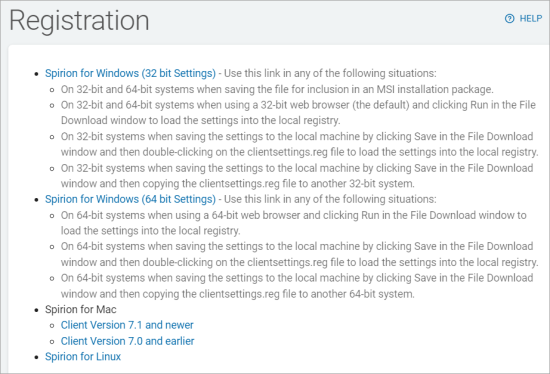
The Registration screen displays different versions of Spirion registration files based on operating system and version.
To access this screen:
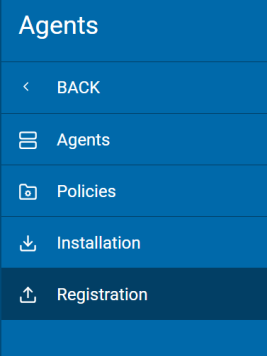
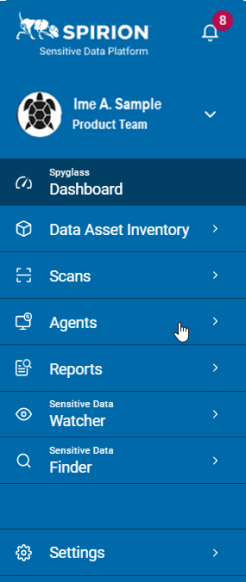
- From the left side navigation menu, click Agents.
- Click Registration.
- The Registration page opens.
- Use the tool tip in the page title for guidance.
- Instructions for downloading the proper registry file are below.
How to Download the Proper Registry File
Use the following instructions to download the proper registry file:
- Locate the registry file version you want to download:
Spirion for Windows (32-bit Settings) - Use this link in any of the following situations:
On 32-bit and 64-bit systems:
When saving the file for inclusion in an MSI installation package.
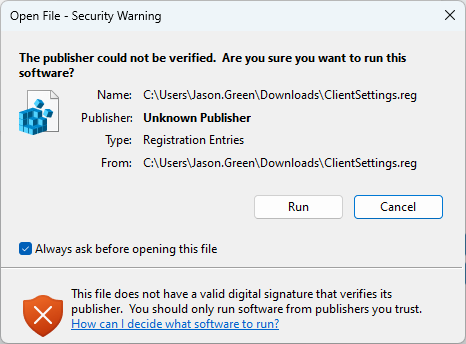
When using a 32-bit web browser (the default) and clicking Run in the file download window to load the settings into the local registry:
On 32-bit systems:
When saving the settings to the local machine by clicking Save in the file download window and then either:
Double-clicking on the file clientsettings.reg to load the settings into the local registry.
Copying the file clientsettings.reg to another 32-bit system.
Spirion for Windows (64-bit Settings) - Use this link in any of the following situations:
On 64-bit systems:
When using a 64-bit web browser and clicking Run in the file download window to load the settings into the local registry.
When saving the settings to the local machine by clicking Save in the file download window and then either:
Double-clicking on the file clientsettings.reg to load the settings into the local registry.
Copying the file clientsettings.reg to another 64-bit system.
Spirion for Mac:
Client Version 7.1 and newer
Client Version 7.0 and earlier
Spirion for Linux
- The file downloads to your local computer.
- If you are installing Spirion Sensitive Data Platform, place a copy of the
clientsettings.regfile into the folder you created to store your MSI installation package files. See How to Use Installations.